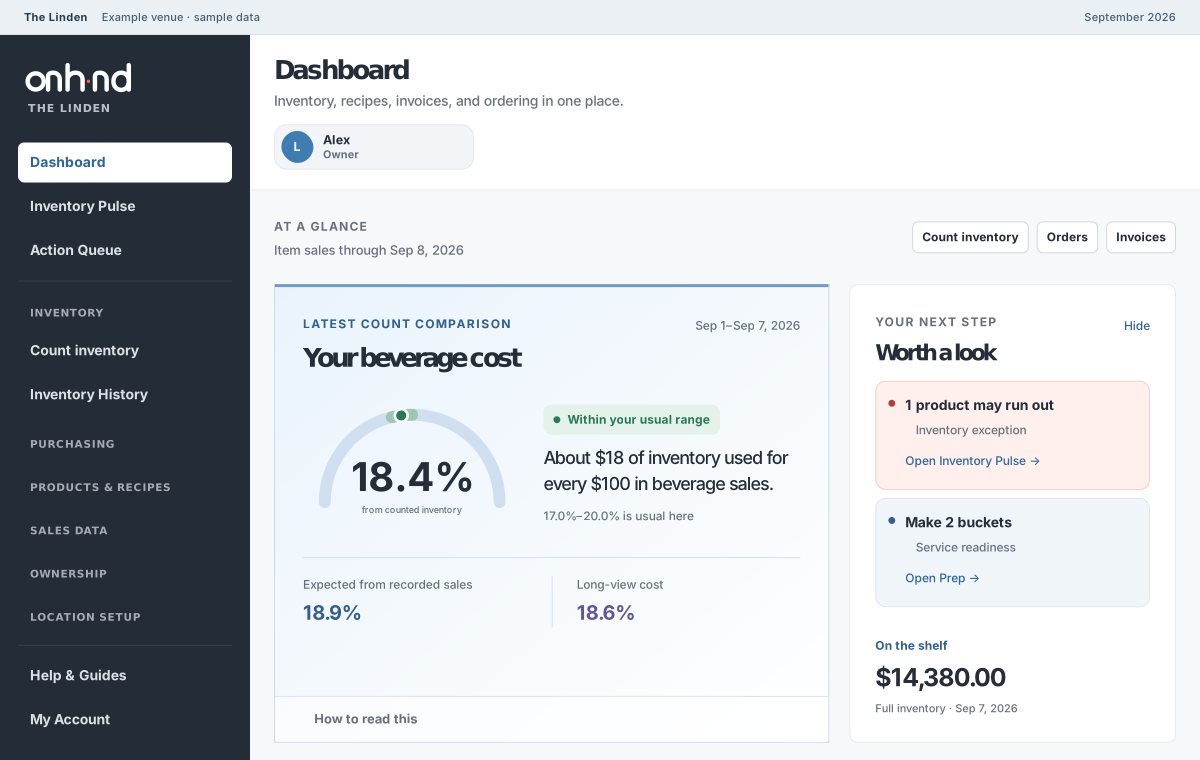
See what could run out.
Counted stock and recipe-based use help you spot pressure on the shelf before the rush.

Operating intelligence for restaurants
ONHND connects invoices, recipes, sales, inventory, and purchasing—showing what changed, what it affects, and what needs your attention.
Less time piecing together the numbers.
More time running a great restaurant.
01 Know where to look
Another report is only useful if it helps you act. Inventory Pulse brings potential shortages, unusual movement, and count gaps into view—with the context to make the next call.
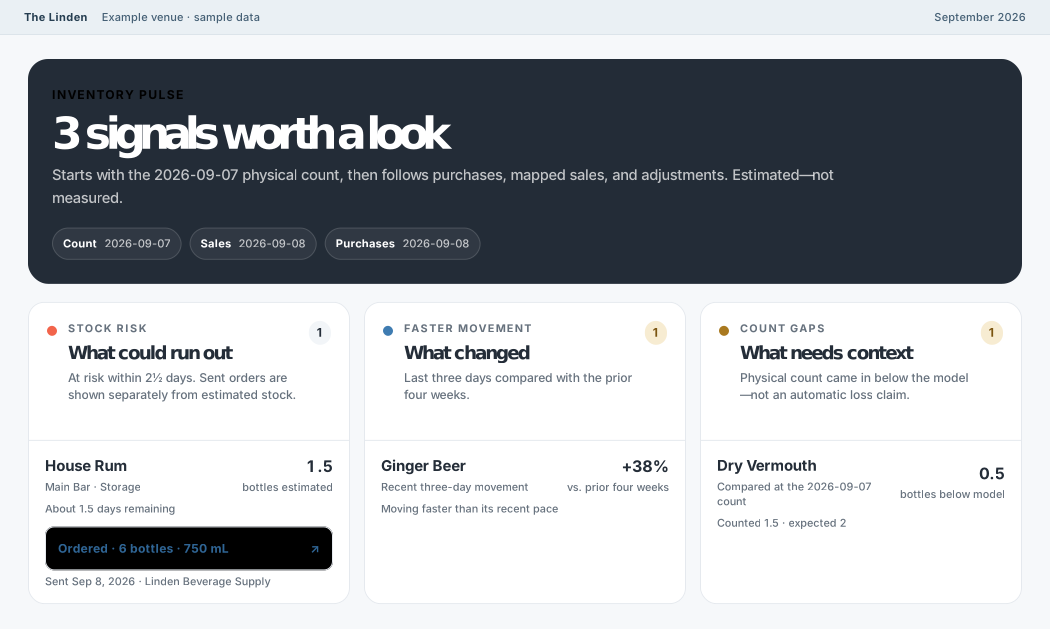
Counted stock and recipe-based use help you spot pressure on the shelf before the rush.
See the quantity, vendor, and sent date. Follow the order without mistaking a placed order for stock that has arrived.
Product shortages and prep blockers reach the Action Queue, where managers can assign and track the next step.
02 Keep the details connected
One accepted invoice price carries into usable cost and linked recipes. Sales become ingredient use. Counts and pars help prepare the next vendor order. Every step has a source you can check.
750 mL bottle · 2 fl oz pour
$24.00$27.00
$1.89$2.13
−$0.24
Per drink, with selling price and other ingredients unchangedFrom the numbers to the next order
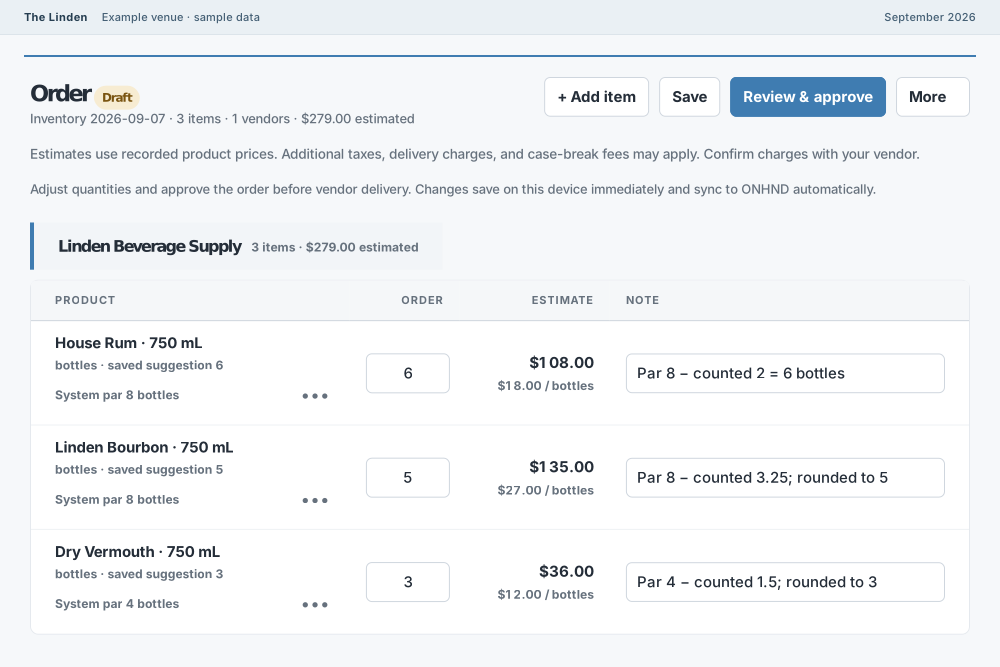
Recent use, practical pars, and your completed count come together in an order you can review by vendor, product, and package.
Check the quantities. Make the call. Keep the placed order as a clear record of what was requested.
03 Bring the team into the picture
The best operating picture starts with the people who know the room. Give them a clear way to count, prepare, and flag what is missing.
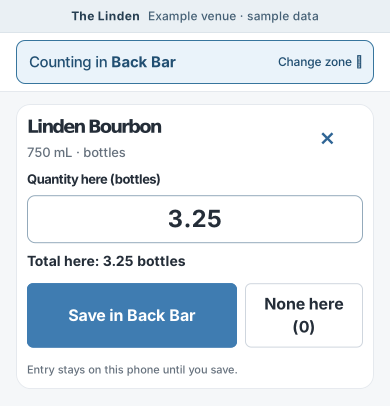
Split physical areas across the team, see shared progress, and bring the results into one venue inventory. Counts save on the phone when the signal drops.
See what is ready, what to make, and which ingredients to check. Prep blockers stay visible through the manager handoff.
Weekly and monthly summaries carry sales, purchases, costs, and operating context into a concise owner report.
Built to earn its place
Works with the systems you use
Carry closed-invoice prices into product history, usable costs, and linked recipes.
Import Toast sales files to connect sold items with recipe use, trends, and replenishment.
We work through your source systems and setup together.
Care for the records you rely on
Venue records are copied daily, with checks available for saved records and source files.
Staff, managers, and administrators have different controls. Venue data stays separate.
Public system observations are monitored independently of the main app.
View system status
Built by an operator
Costs changed in one place but not another. Recipes drifted. Sales, inventory, and orders lived apart. Getting one reliable answer meant maintaining too many spreadsheets.
I needed software that kept the operation connected and showed me what mattered before service. I still use ONHND in my own restaurant every week.
Know the numbers. Run the restaurant.
See ONHND with the operator who built it. Bring your questions, your current setup, or just your curiosity.
Request a walkthrough No account. No commitment. Just a conversation.